Ethernet Cable

MSS Data Solutions is your one-stop shop for high-quality Ethernet cables. We take great satisfaction in being able to provide you with a comprehensive selection of high-quality Ethernet cables that have been painstakingly created to fulfill your requirements in terms of connection, performance and reliability.
We at MSS Data Solutions, are aware of how critical it is to maintain open lines of communication in the modern world. Because of this, we have made it our mission to provide you with the best variety that is currently available.
When you shop with us for the finest Ethernet cables available online in Australia, you will have connection like you've never had it before. Place your order right now to take advantage of our dependable and speedy delivery across Australia.
-
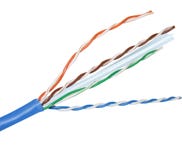 Ethernet Cable Category 6 U-UTP Blue 305MItem Number: MSSCABLE6UPackaging Unit: 1 / BoxLoading price...
 $302.10
 -
 Ethernet Cable Category 6 U-UTP Green 305MItem Number: MSSCABLE6U-GNPackaging Unit: 1 / BoxLoading price...
$302.10
Ethernet Cable Category 6 U-UTP Green 305MItem Number: MSSCABLE6U-GNPackaging Unit: 1 / BoxLoading price...
$302.10 -
 Ethernet Cable Category 6 U-UTP Grey 305MItem Number: MSSCABLE6U-GYPackaging Unit: 1 / BoxLoading price...
$302.10
Ethernet Cable Category 6 U-UTP Grey 305MItem Number: MSSCABLE6U-GYPackaging Unit: 1 / BoxLoading price...
$302.10 -
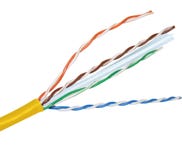 Ethernet Cable Category 6 U-UTP Yellow 305MItem Number: MSSCABLE6U-YLPackaging Unit: 1 / BoxLoading price...
$302.10
Ethernet Cable Category 6 U-UTP Yellow 305MItem Number: MSSCABLE6U-YLPackaging Unit: 1 / BoxLoading price...
$302.10 -
 Ethernet Cable Category 6A F-UTP Blue 305M LSZHItem Number: MSSCABLE6AFPackaging Unit: 1 / RollLoading price...
$437.00
Ethernet Cable Category 6A F-UTP Blue 305M LSZHItem Number: MSSCABLE6AFPackaging Unit: 1 / RollLoading price...
$437.00 -
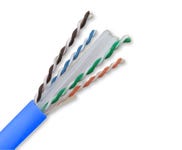 Ethernet Cable Category 6A U-UTP Blue LSZHItem Number: MSSCABLE6AU-BLPackaging Unit: 1 / RollLoading price...
$437.00
Ethernet Cable Category 6A U-UTP Blue LSZHItem Number: MSSCABLE6AU-BLPackaging Unit: 1 / RollLoading price...
$437.00 -
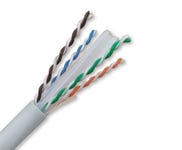 Ethernet Cable Category 6A U-UTP Grey LSZHItem Number: MSSCABLE6AUPackaging Unit: 1 / eachLoading price...
$437.00
Ethernet Cable Category 6A U-UTP Grey LSZHItem Number: MSSCABLE6AUPackaging Unit: 1 / eachLoading price...
$437.00 -
 Ethernet Cable Category 6A U-UTP LSZH Gel FilledItem Number: MSSCABLE6A-GELPackaging Unit: 1 / RollLoading price...
$1,045.00
Ethernet Cable Category 6A U-UTP LSZH Gel FilledItem Number: MSSCABLE6A-GELPackaging Unit: 1 / RollLoading price...
$1,045.00
Buy our Huge Range of Ethernet Cable Online
What is an Ethernet Cable?
An Ethernet cable is a wired connection that transmits data between devices in a local area network (LAN). It is the most common type of cable used in wired networks for connecting devices such as computers, routers, switches, and other networking equipment.
The most common form of Ethernet cable is the "twisted pair" cable, where pairs of insulated copper wires are twisted together to reduce electromagnetic interference from external sources.
Types of Ethernet Cable
The main types of Ethernet cables are as follows:
- Cat5e cable – Cat5e cables support data transfer rates of up to 1,000 Mbps (1 Gbps). They are suitable for most home and small business networks.
- Cat6 cable – Cat6 cables offer improved performance compared to Cat5e, supporting data rates up to 10 Gbps over short distances. They are commonly used in environments where higher bandwidth is required, such as in offices or larger-scale networking setups.
- Cat6a cable – Cat6a cables are an enhanced version of Cat6 cables, providing even higher performance and supporting data rates up to 10 Gbps over longer distances.
- Cat7 cable – Cat7 cables support data rates of up to 10 Gbps over longer distances and offer improved shielding to reduce interference.
- Cat8 cable – Cat8 cables are among the latest standards, supporting data rates up to 25 or 40 Gbps over short distances. They are common in high-performance data centers and other environments requiring extremely high bandwidth.
Use of Ethernet Cable
The primary benefits of Ethernet cable are:
- Wired Internet Connectivity - Ethernet cables connect computers, laptops, gaming consoles, and other devices to a home or office network for internet access.
- Gaming – Gamers often prefer to use Ethernet cables for online gaming to minimize latency and provide a more stable connection.
- Streaming & Media Devices – Smart TVs, streaming boxes, and media players can be connected to a network using Ethernet cables for a more reliable and faster connection, reducing buffering and improving streaming quality.
- Security Cameras and Surveillance Systems – Many IP-based security cameras and surveillance systems utilize Ethernet cables for power (Power over Ethernet, PoE) and data connectivity.
- Data Centers – In large-scale computing environments like data centers, Ethernet cables connect servers, switches, routers, and other networking equipment. Cat6a and Cat8 are generally used to meet the demands of high-speed data transfer within such environments.
How to connect an Ethernet cable?
This section will show you the general steps to connect an Ethernet cable.
- Check the Equipment – First and foremost, ensure that the devices you want to connect have Ethernet ports. Most modern devices come with Ethernet ports.
- Arrange an Ethernet Cable – Arrange an Ethernet cable of the desired length. Ensure that the Ethernet cable should be long enough to reach from one device to another without excessive slack.
- Identify Ethernet Ports – Locate the Ethernet port on all the devices you want to connect.
- Insert the Ethernet Cable – Take one end of the Ethernet cable and insert the RJ45 connector into the Ethernet port on one of the devices. After connecting one end, take the other end of the Ethernet cable and connect it to the Ethernet port on the second device or the network outlet.
- Secure the connection – If you connect devices that you will not frequently move from one place to another, use cable ties or clips to secure the cable along the path and eventually reduce the risk of tripping over it.
- Power On the Devices – Power on the devices you have connected with the Ethernet cable, and then check the connection status to ensure that the connection is recognized and no issues are reported.
- Enjoy Wired Connectivity – Once the Ethernet cable is connected, you can enjoy a reliable, wired internet connection between the connected devices.
How does Ethernet Cable work?
Ethernet cables facilitate communication between devices in a local area network by transmitting data through electrical signals. The operation of Ethernet cables involves several key principles:
- Twisted Pair Configuration – Most Ethernet cables use a twisted pair configuration, where pairs of insulated copper wires are twisted together. The twisting helps reduce electromagnetic interference and crosstalk, allowing more reliable data transmission.
- Copper Conductors – The copper wires inside the Ethernet cable serve as conductors for electrical signals. Copper is a good conductor of electricity, allowing signals to travel along the length of the cable.
- Data Transmission – Data is transmitted over Ethernet cables using baseband transmission. In baseband transmission, digital signals are sent as electrical pulses over the copper conductors.
- Modulation & Demodulation – Before transmission, data is modulated onto electrical signals. Modulation involves encoding digital data onto an analog signal. On the other hand, the analog signal is demodulated at the receiving end to recover the original digital data.
- Network Devices – Ethernet cables connect to network devices such as computers, routers, switches, and other networking equipment. These devices have Ethernet ports that provide physical interfaces for cable connections.
- Hub, Switch, or Router – In an Ethernet network, devices are connected through a hub, switch, or router.
- Data Reception – At the receiving end, the device's Ethernet interface processes the incoming electrical signals, demodulates the data, and extracts the information from the received frames.
Ethernet Cable Buying Guide
Consider all the points discussed below to buy Ethernet cable online effortlessly.
- Data Transfer Speed – Consider the data transfer speed you need for your network. Cat5e cables support up to 1 Gbps, while Cat6 and Cat6a can handle 10 Gbps.
- Shielding – Ethernet cables can be either shielded or unshielded. Shielded cables have additional protection against electromagnetic interference (EMI) and radio frequency interference (RFI). So before deciding to buy Ethernet cable online, determine whether you need shielded or unshielded cables.
- Flexibility & Durability – Consider the flexibility and durability of the cable, especially if you need to route it through tight spaces or if it will be subject to frequent movement.
- Power over Ethernet (PoE) Compatibility – If you are planning to use Power over Ethernet, ensure the cable is PoE compatible. PoE cables can carry both data and power, which is useful for devices like IP cameras, VoIP phones, and certain wireless access points.
- Connector Quality – The RJ45 connectors should be of high quality to ensure a secure and reliable connection. Sometimes, the connectors are gold-plated, which makes them corrosion-resistant and provides better conductivity.
Buy Ethernet Cable Online in Australia from MSS Data Solutions
MSS Data Solutions offers a vast range of Ethernet cables, providing a convenient online platform for customers in Australia to purchase quality networking solutions. By visiting MSS Data Solutions, you can explore an extensive collection of Ethernet cables, including Cat5e, Cat6 and Cat6a cables.
So buy Ethernet cable online from MSS Data Solutions as our products adhere to industry standards and certifications, ensuring the highest quality and performance. Furthermore, our website offers durable and reliable networking solutions to meet your connectivity needs.
MSS Copper Systems copper cabling provides outstanding performance headroom for a range of Category 6 and Category 6A networking applications. Our cable is designed to support performance standards set out in AS/NZS 11801.1 and ANSI/TIA 568.2-D.
Also known as LAN cable, Permanent Link Cable or Network Cable, an Ethernet cable is a four-pair network cable utilised in wired networks. Our solid conductor Ethernet cables are available in a variety of colours and are ideal for static applications such as running from a patch panel to the wall outlet jack.
Our Cat6 and Cat6A cables are supplied on a reel or in an easy feed reel-in-a-box, making installation on site easy and keeps your cable neat and tidy between jobs.
Your ordered quantity for this item is more than what we have in stock.
Stock Availability
| Location | |
|---|---|
Please contact us to know more about this item's availability or possible restock dates.